
Super OK! Recommended
IT interventions
High-End Gaming PC Upgrade – AMD Ryzen 7 9800X3D, ASUS ROG STRIX B850-A, DDR5 6000 MHz and RTX 5070 Ti | Jebel
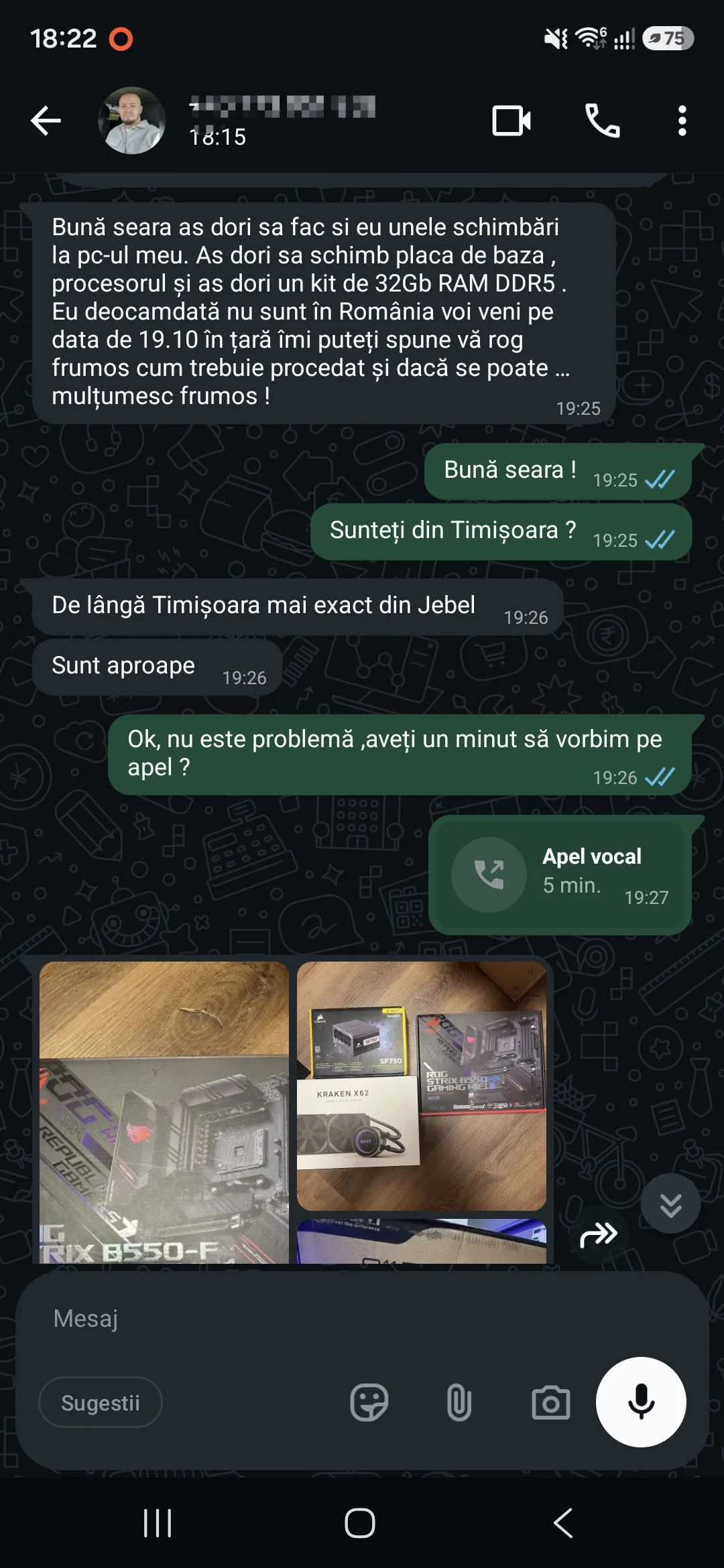
Complete upgrade of a High-End Gaming PC in Timisoara, carried out by iTechServiceTM based on a budget of 8.000 lei paid in advance by the client. The project included hardware consultancy, identifying and checking component compatibility, presenting offers and obtaining client approval prior to purchase, replacing the motherboard with ASUS ROG STRIX B850-A GAMING WIFI7 NEO, installing the AMD Ryzen 7 9800X3D processor and 32 GB RAM DDR5 6000 MHz, cleaning reused components, installing the NZXT Kraken X62 cooling system, BIOS/UEFI configuration, Windows 11 Pro installation, driver installation and system optimisation for gaming.
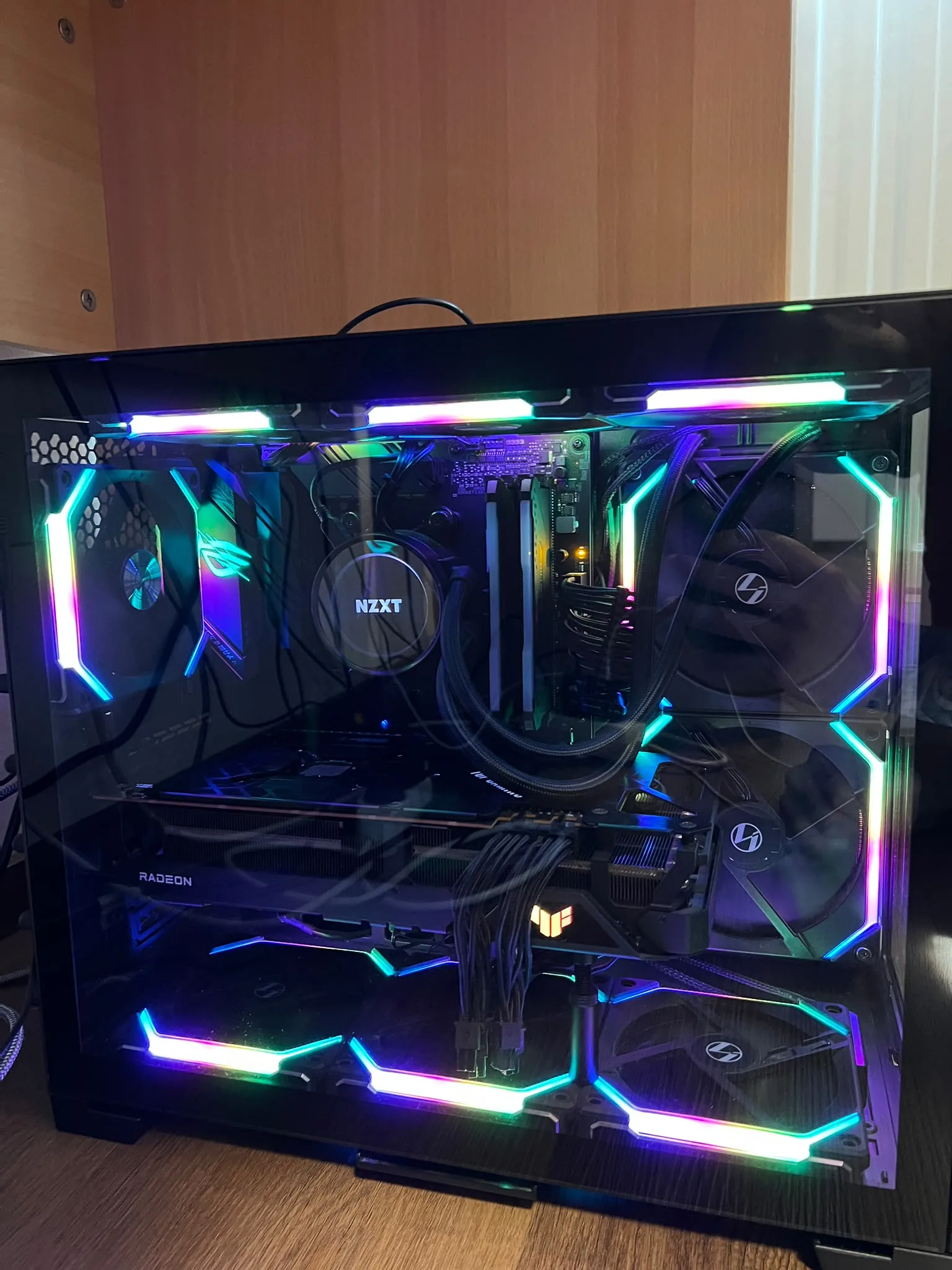
Complete High-End Gaming PC Upgrade – AMD Ryzen 7 9800X3D, RTX 5070 Ti and DDR5
iTechServiceTM carried out a complex hardware and software upgrade project in Timisoara for a High-End Gaming computer, intended for modern games and applications requiring high performance.
The client already owned a high-performance gaming system, but wanted a significant update to the hardware platform by replacing the processor, motherboard and RAM memory, while keeping existing components that could be reused.
The project included the entire upgrade process: technical consultancy, component selection, compatibility check, purchases approved by the client, hardware cleaning, dismantling, assembly, BIOS/UEFI configuration, Windows 11 Pro installation, driver installation and system operation check.
1. Hardware consultancy and component purchase
The project started by analyzing the client's requirements, the existing configuration and upgrade possibilities.
The client paid in advance the sum of 8.000 lei, intended for carrying out the upgrade project.
Before purchasing the components, iTechServiceTM carried out:
- Analyzing the existing hardware configuration.
- Identifying components that needed replacement.
- Market research and comparison of available offers.
- Comparing processors, motherboards, RAM memories and cooling solutions.
- Checking compatibility between the processor, motherboard and DDR5 memory.
- Checking compatibility with the NVIDIA GeForce RTX 5070 Ti graphics card.
- Analyzing case dimensions and available space for mounting.
- Checking the power supply and necessary connections.
- Evaluating possibilities of reusing existing components.
- Presenting options and requesting the client's opinion.
- Obtaining approval for the selected components.
- Purchasing the approved parts.
All configuration and purchase decisions were discussed and approved by the client before placing orders.
This stage allowed selecting compatible components, avoiding unnecessary expenses and efficiently using the available budget.
2. Computer collection and component preparation
After purchasing the parts, the client brought the existing computer to carry out the upgrade work.
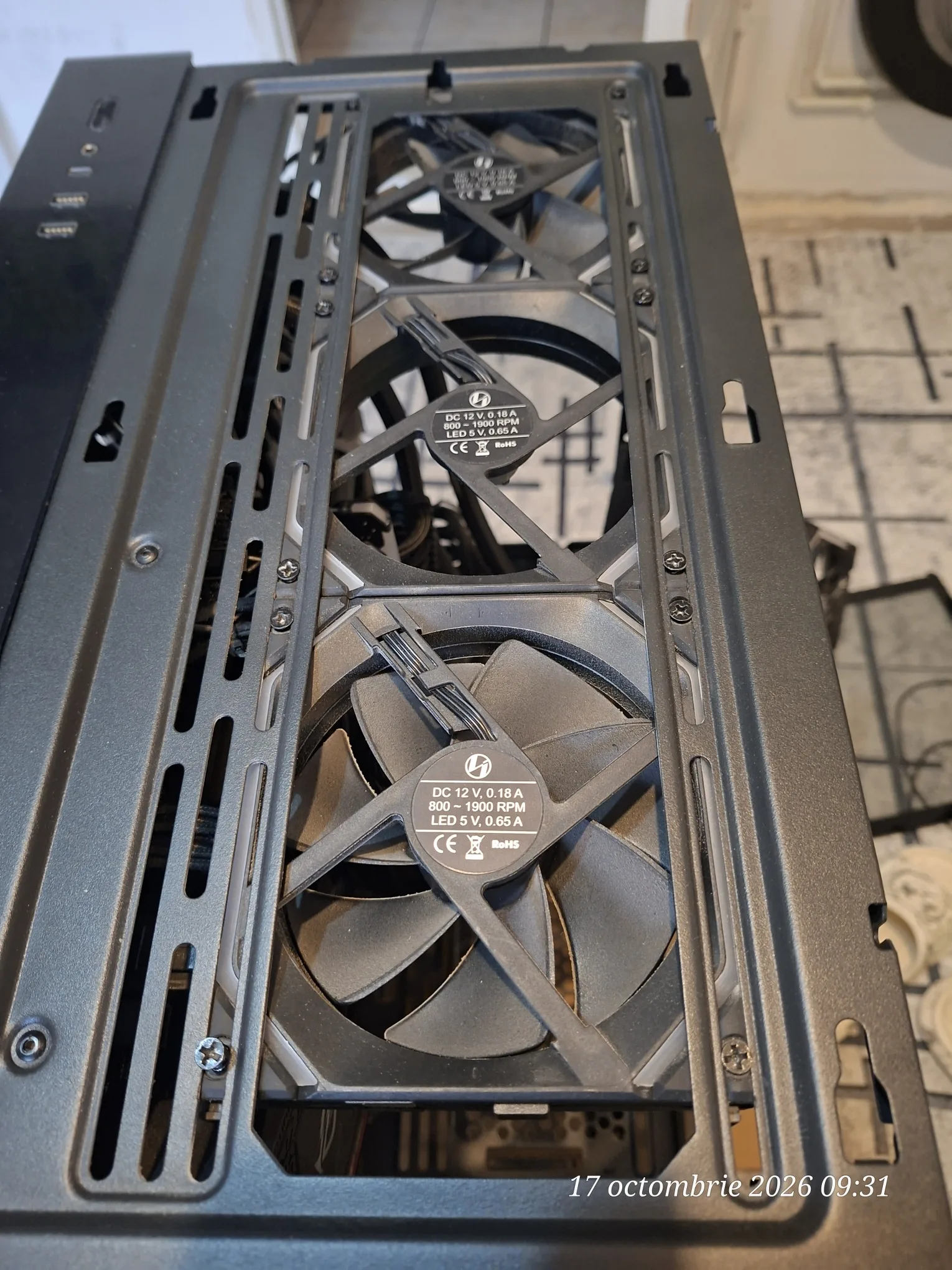
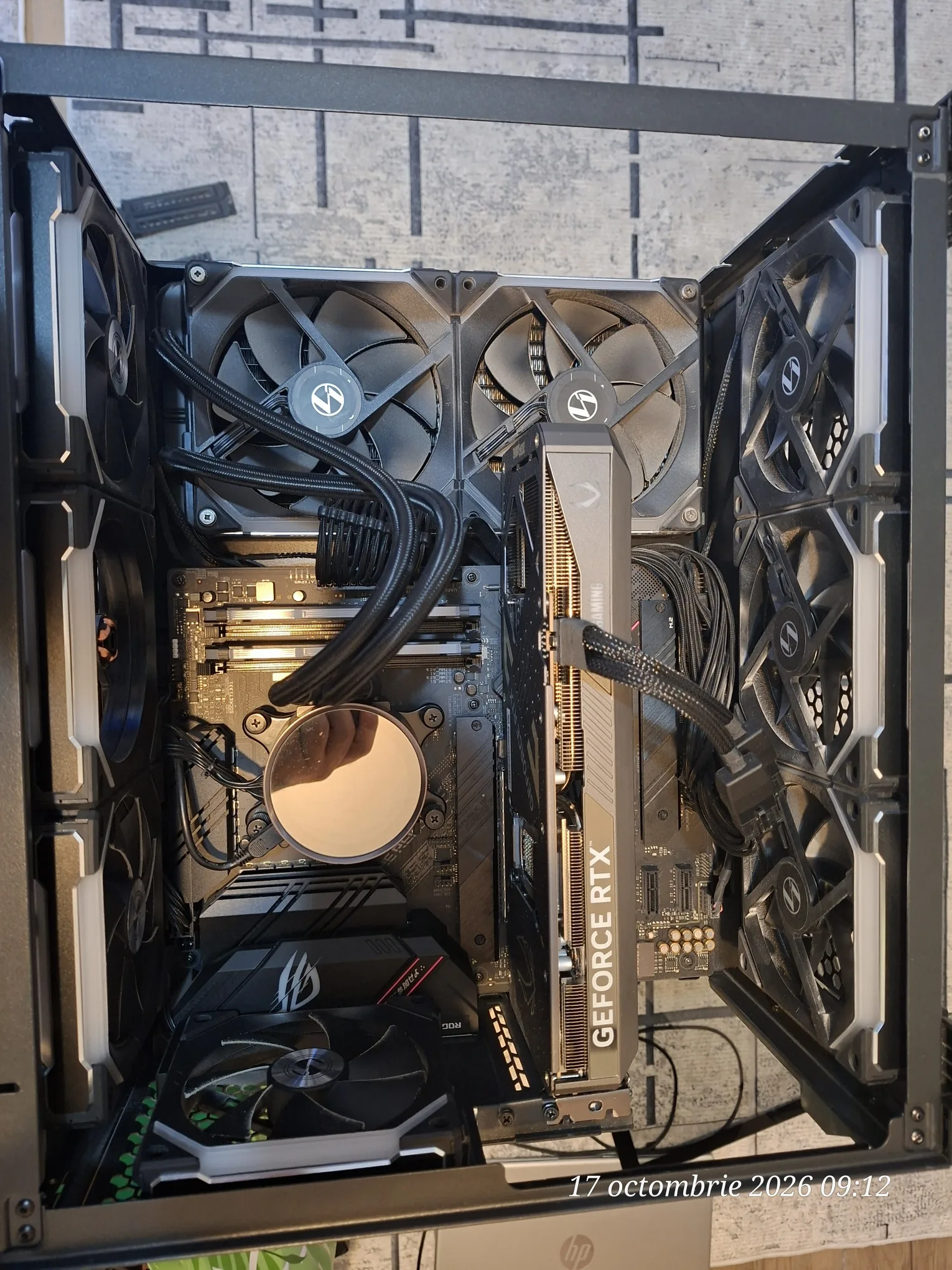
The system was built in a case Lian Li O11 Dynamic Mini, equipped with Lian Li UNI FAN RGB fans, NZXT liquid cooling system and an NVIDIA GeForce RTX graphics card.
Before installing the new components, the following were performed:
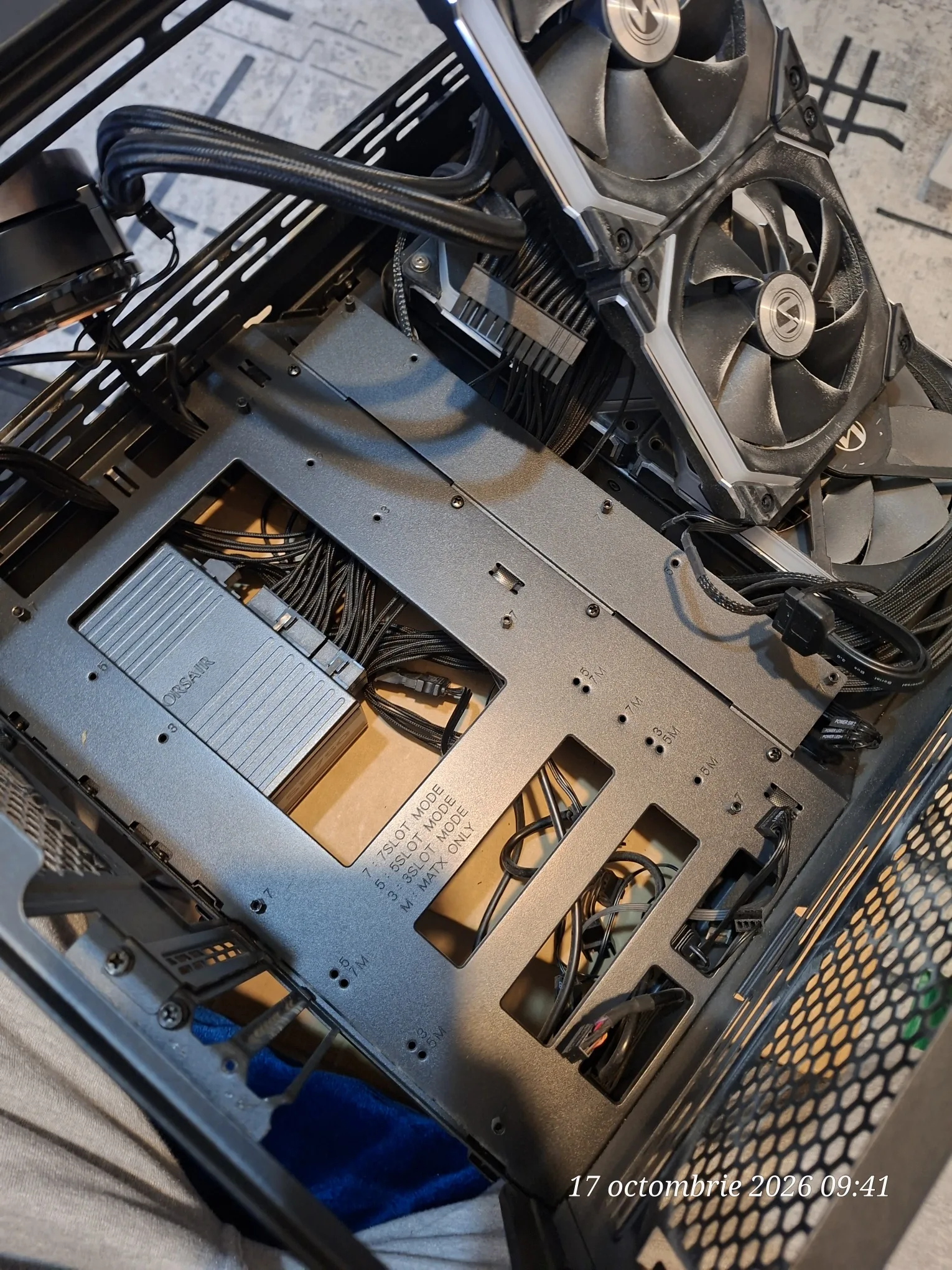
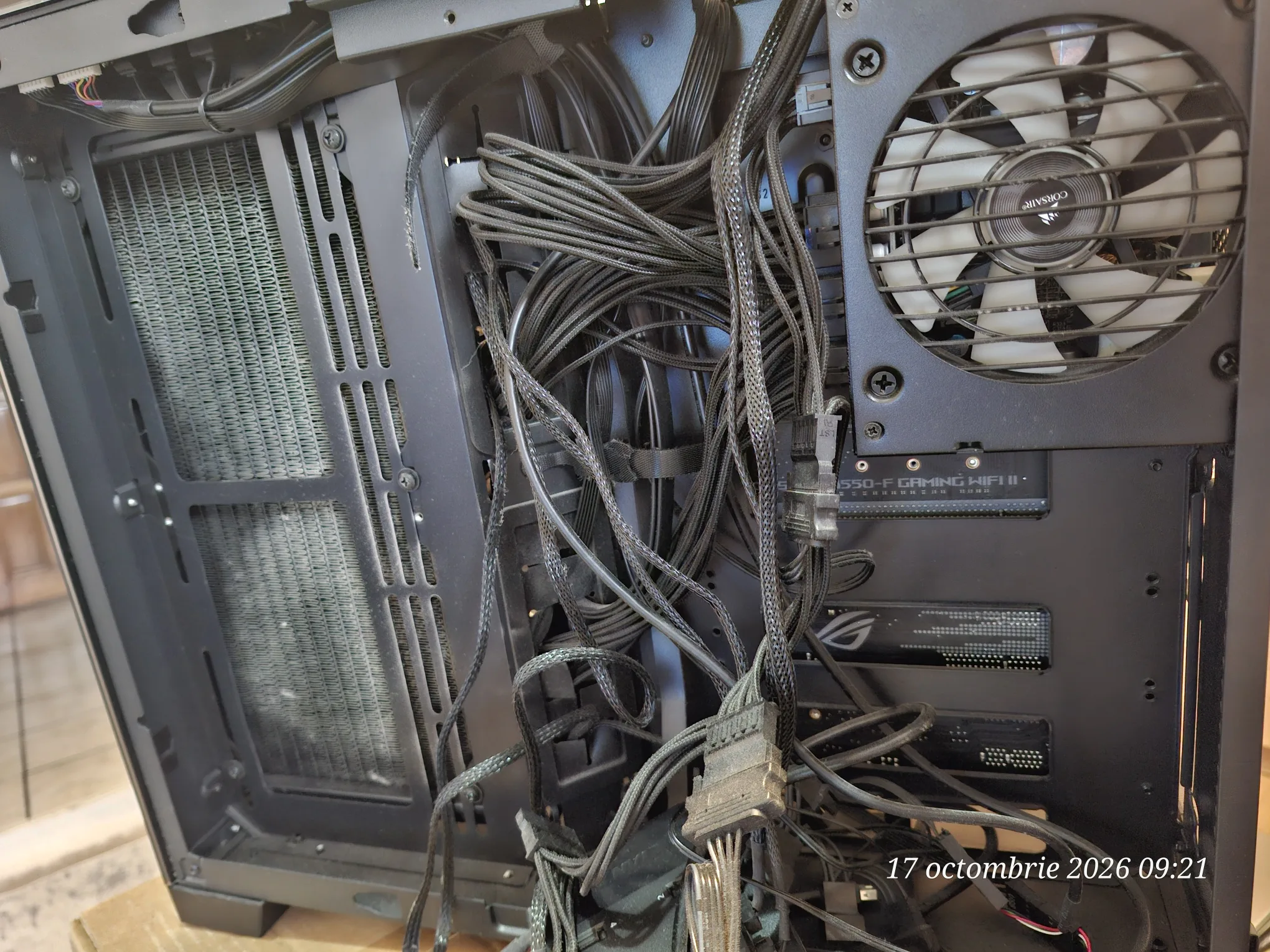
- Opening the case and inspecting the existing configuration.
- Identifying power cables and internal connections.
- Dismantling the components that were going to be replaced.
- Removing dust accumulated on reused components.
- Cleaning the fans and accessible areas of the case.
- Checking the cooling system and re-mounting possibilities.
- Preparing the new components for assembly.
The focus was on reusing functional components, without unnecessarily replacing parts that met the requirements of the new configuration.
3. Motherboard replacement – ASUS ROG STRIX B850-A GAMING WIFI7 NEO
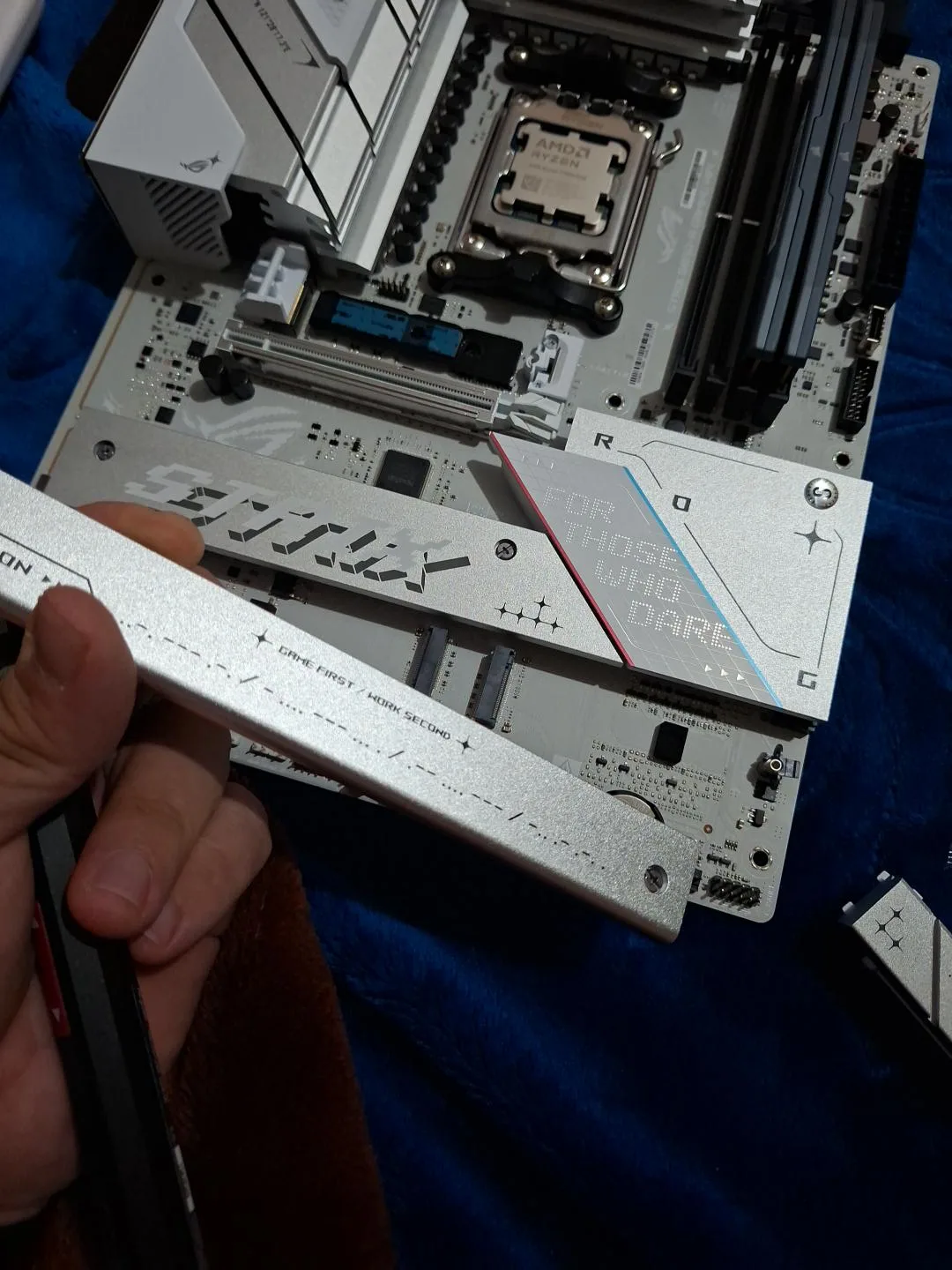
The existing motherboard was replaced with the model ASUS ROG STRIX B850-A GAMING WIFI7 NEO, compatible with the AMD AM5 platform.
This offers support for modern AMD Ryzen processors, DDR5 memory, Wi-Fi 7 connectivity and NVMe PCIe SSD units.
The operations performed included:
- Dismantling the existing motherboard.
- Checking mounting points and case standoffs.
- Preparing the new ASUS board for installation.
- Mounting and securing the motherboard in the case.
- Connecting the main ATX power supply.
- Connecting the processor power supply.
- Connecting the front panel cables.
- Connecting the case USB ports.
- Connecting the cooling system.
- Connecting the fan and RGB lighting controller.
- Checking internal connections.
The new motherboard represents the foundation of the upgraded configuration, offering updated connectivity and hardware expansion possibilities.
4. Installing the AMD Ryzen 7 9800X3D processor
The processor was installed AMD Ryzen 7 9800X3D, designed for high-performance gaming.
Main features:
- AMD Zen 5 architecture.
- 8 cores and 16 threads.
- AMD 3D V-Cache technology.
- 96 MB L3 cache memory.
- AM5 socket compatibility.
The operations performed included:
- Preparing the AM5 socket.
- Installing and securing the processor.
- Preparing the contact surface for cooling.
- Applying thermal paste.
- Mounting the liquid cooling system.
- Connecting the pump and fans.
- Checking processor temperatures.
The cooling system was reused NZXT Kraken X62, equipped with a 280 mm radiator and two 140 mm fans.
During the checks, the processor recorded a temperature of approximately 71°C in the stress test, indicating good thermal operation under the conditions of the test performed.
5. Installation and configuration of the DDR5 RAM memory
The new setup was equipped with 32 GB of Corsair DDR5 RAM, distributed across two 16 GB modules.
Specifications:
- Total capacity: 32 GB.
- Configuration: 2 × 16 GB.
- Memory type: DDR5.
- Configured speed: 6000 MT/s.
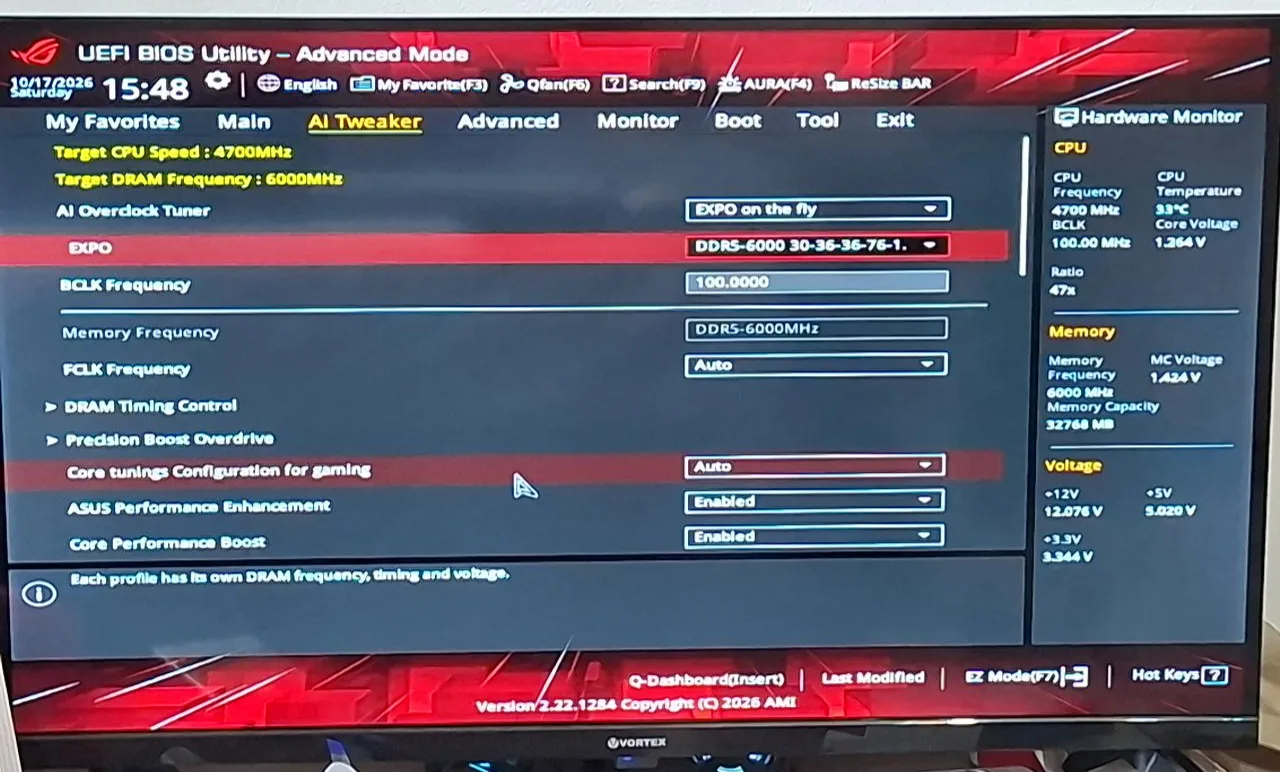
- Memory profile: AMD EXPO.
- CAS latency: CL30.
- Configured primary timings: 30-36-36-76.
The operations performed included:
- Mounting the RAM modules in the corresponding slots.
- Checking the detection of the total 32 GB capacity.
- Accessing memory settings in BIOS.
- Enabling the AMD EXPO profile.
- Configuring the DDR5-6000 speed.
- Checking memory parameters.
This setup offers an efficient combination of speed, latency, and capacity, suitable for the AMD Ryzen 7 9800X3D processor.
6. Reinstallation of the NVIDIA GeForce RTX 5070 Ti graphics card
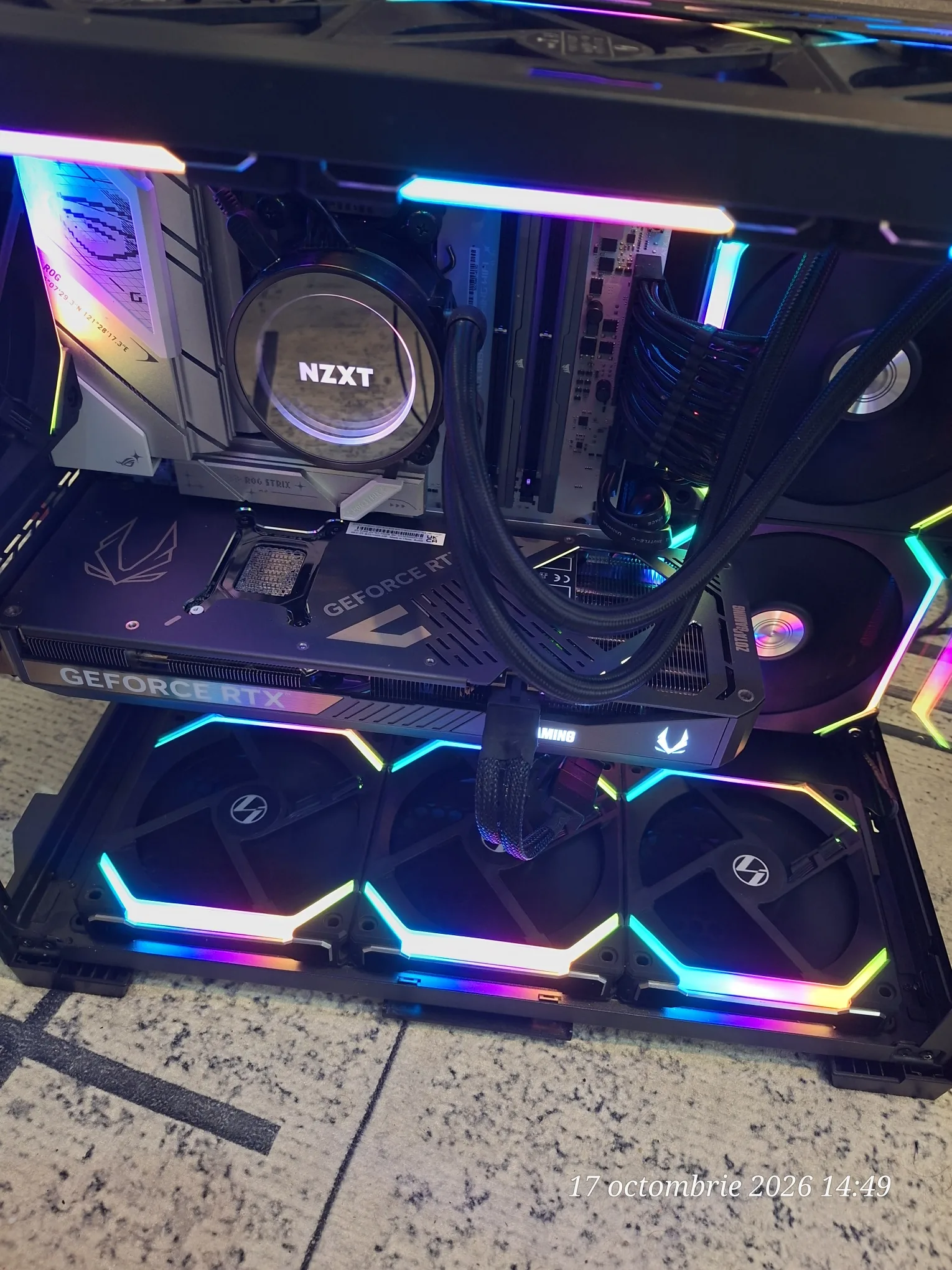
The system uses the graphics card ZOTAC GAMING NVIDIA GeForce RTX 5070 Ti, equipped with 16 GB of GDDR7 memory.
The existing graphics card was kept and integrated into the new configuration.
The following checks were carried out:
- Positioning and securing the graphics card in the PCIe slot.
- Checking the available space inside the case.
- Checking the auxiliary power connections.
- Analyzing the compatibility of the power cables with the existing power supply.
- Checking the integration of the graphics card into the new hardware setup.
By keeping this high-performance component, the client benefited from upgrading the platform without needing to purchase a new graphics card.
7. Checking the cooling, ventilation, and RGB lighting system
The Lian Li O11 Dynamic Mini case is equipped with fans Lian Li UNI FAN RGB, connected via a dedicated controller.
The processor cooling system is provided by NZXT Kraken X62, with a 280 mm radiator.
During the work, the following were carried out:
- Checking fan positioning.
- Analyzing the airflow direction.
- Checking power connections.
- Connecting the Lian Li controller.
- Checking internal USB connections of the controller.
- Checking PWM and ARGB connections.
- Checking the NZXT Kraken X62 system.
- Analyzing the fan settings in the BIOS.
- Checking the operation of the cooling system.
These operations aimed to ensure proper cooling of the processor and air circulation inside the case.
8. ASUS ROG BIOS/UEFI configuration
After completing the assembly, configurations and checks were performed in the ASUS ROG UEFI BIOS interface.
RAM configuration
- Enabling the AMD EXPO profile.
- Configuring the DDR5-6000 speed.
- Checking the total capacity of 32 GB.
- Checking the memory parameters and latencies.
Configuring and checking the processor
- Checking processor frequencies.
- Analyzing the Core Performance Boost and Precision Boost Overdrive functions.
- Checking performance settings.
- Monitoring temperatures and voltages.
Configuring the cooling system
- Checking the reported speed for the NZXT pump.
- Analyzing the ASUS Q-Fan settings.
- Checking fan operation.
General system configuration
- Checking the SSD drive detection.
- Configuring boot devices.
- Checking UEFI settings.
- Analyzing the Fast Boot option.
- Checking network functions.
The BIOS configuration aimed at the proper use of components and stable system operation.
9. Windows 11 Pro installation and configuration
Following the completion of the hardware interventions, we proceeded with the installation of the operating system Windows 11 Pro, 64-bit.
The operations performed included:
- Preparing the Windows installation medium.
- Booting the installer in UEFI mode.
- Identifying the Kingston SSD drive.
- Configuring the operating system installation.
- Installing Windows 11 Pro.
- Checking the boot process.
- Initial configuration of the operating system.
- Installing the drivers required for the components.
During the work, issues that arose during the Windows installation process and Wi-Fi connectivity configuration were also investigated.
10. Driver installation and software configuration
For the proper operation of the new hardware platform, software installation and configuration operations were carried out.
These targeted:
- AMD chipset drivers.
- ASUS motherboard drivers and software components.
- The NVIDIA driver for the GeForce RTX 5070 Ti graphics card.
- Wi-Fi and Bluetooth connectivity.
- Hardware device recognition.
- Configuring programs necessary for using the components.
- Checking system operating parameters.
Software tools for controlling cooling, fans and RGB lighting were also analysed.
11. Temperature and performance checks
After completing the assembly and configurations, checks of the hardware parameters were carried out.
Final computer configuration
- Processor: AMD Ryzen 7 9800X3D.
- Motherboard: ASUS ROG STRIX B850-A GAMING WIFI7 NEO.
- RAM memory: 32 GB Corsair DDR5, 2 × 16 GB.
- Configured RAM speed: 6000 MT/s.
- RAM profile: AMD EXPO CL30.
- Graphics card: ZOTAC GAMING NVIDIA GeForce RTX 5070 Ti, 16 GB GDDR7.
- Cooling system: NZXT Kraken X62, 280 mm radiator.
- Case: Lian Li O11 Dynamic Mini.
- Fans: Lian Li UNI FAN RGB.
- Storage: Kingston SSD, reused.
- Operating system: Windows 11 Pro, 64-bit.
Observed temperatures
- CPU temperature in BIOS: approximately 33–36°C.
- CPU temperature in stress test: approximately 71°C.
The processor temperature recorded during the stress test indicates good thermal performance under the conditions of the test performed.
The values represent observations obtained during checks and may vary depending on ambient temperature, processor load and usage conditions.
12. Project outcome – A modernised High-End Gaming system
Through this intervention, the client's computer benefited from a major upgrade of the hardware platform, retaining the high-performance components that could be reused.
The new configuration combines the processor AMD Ryzen 7 9800X3D, the 32 GB Corsair DDR5-6000 memory and the 16 GB NVIDIA GeForce RTX 5070 Ti graphics card, offering a high-performance platform for modern gaming.
The project was not limited to simply replacing some components.
iTechServiceTM handled the entire process: technical consultancy, market research, compatibility checking, presenting options, obtaining client approval, purchasing parts, cleaning existing components, disassembly, assembly, applying thermal paste, BIOS configuration, Windows 11 Pro installation, driver installation and checking operating parameters.
Advantages of the upgrade
- Modern AMD AM5 platform, with upgrade possibilities.
- AMD Ryzen 7 9800X3D processor optimised for gaming.
- DDR5-6000 memory with AMD EXPO profile.
- Reuse of the NVIDIA RTX 5070 Ti graphics card.
- Keeping the case, cooling system and other compatible components.
- Hardware and software configuration of the system.
- Avoiding unnecessary purchases.
- Selecting components according to the client's requirements and budget.
This project demonstrates that modernising a high-performance computer does not necessarily mean replacing the entire system. By correctly selecting components and checking compatibility, a significant upgrade can be achieved while making the most of existing hardware investments.
Do you need an upgrade for your computer?
iTechServiceTM – IT & WEB Services offers in Timişoara and Timiş County hardware consultancy services, component selection and purchasing, Gaming PC upgrades, computer assembly, Windows installation, BIOS/UEFI configuration, driver installation and software optimisation.
Whether you want to replace the processor, motherboard, RAM, graphics card or build a computer from scratch, we can help you choose the right components for your desired performance and available budget.
Contact iTechServiceTM for an assessment and a tailored quote!
Photo gallery




Google Reviews
Experiences shared by our clients
5,0 / 5 out of 20 Google reviews.