
IT interventions
Gaming PC Repair with CPU overheating – Replacement of 240 mm AIO cooler with Redragon 360 mm | Ryzen 7 5800X
IT intervention performed by iTechServiceTM for a Gaming PC featuring an AMD Ryzen 7 5800X processor, which was reaching temperatures of 93°C and shutting down during use. Diagnosis identified massive dust accumulation and a 240 mm AIO liquid cooling system with a clogged radiator. The faulty cooler was replaced with a 360 mm Redragon CCW-1017. Following installation, BIOS checks indicated processor temperatures of 37–43°C, and the computer operated normally.
Gaming PC with overheating and unexpected shutdowns
iTechServiceTM was contacted by a client whose Gaming computer was exhibiting extremely high processor temperatures and shutting down during use.
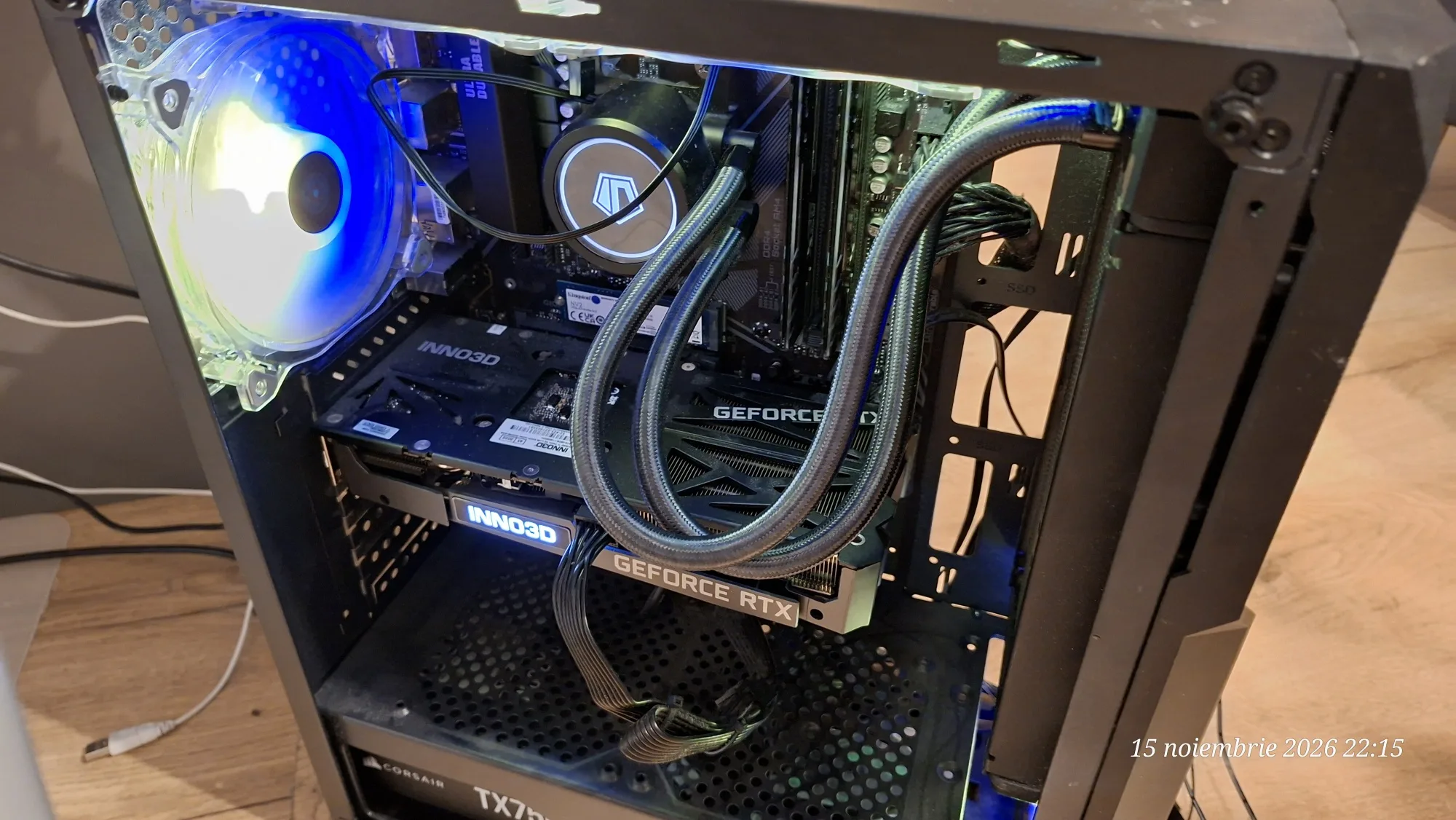
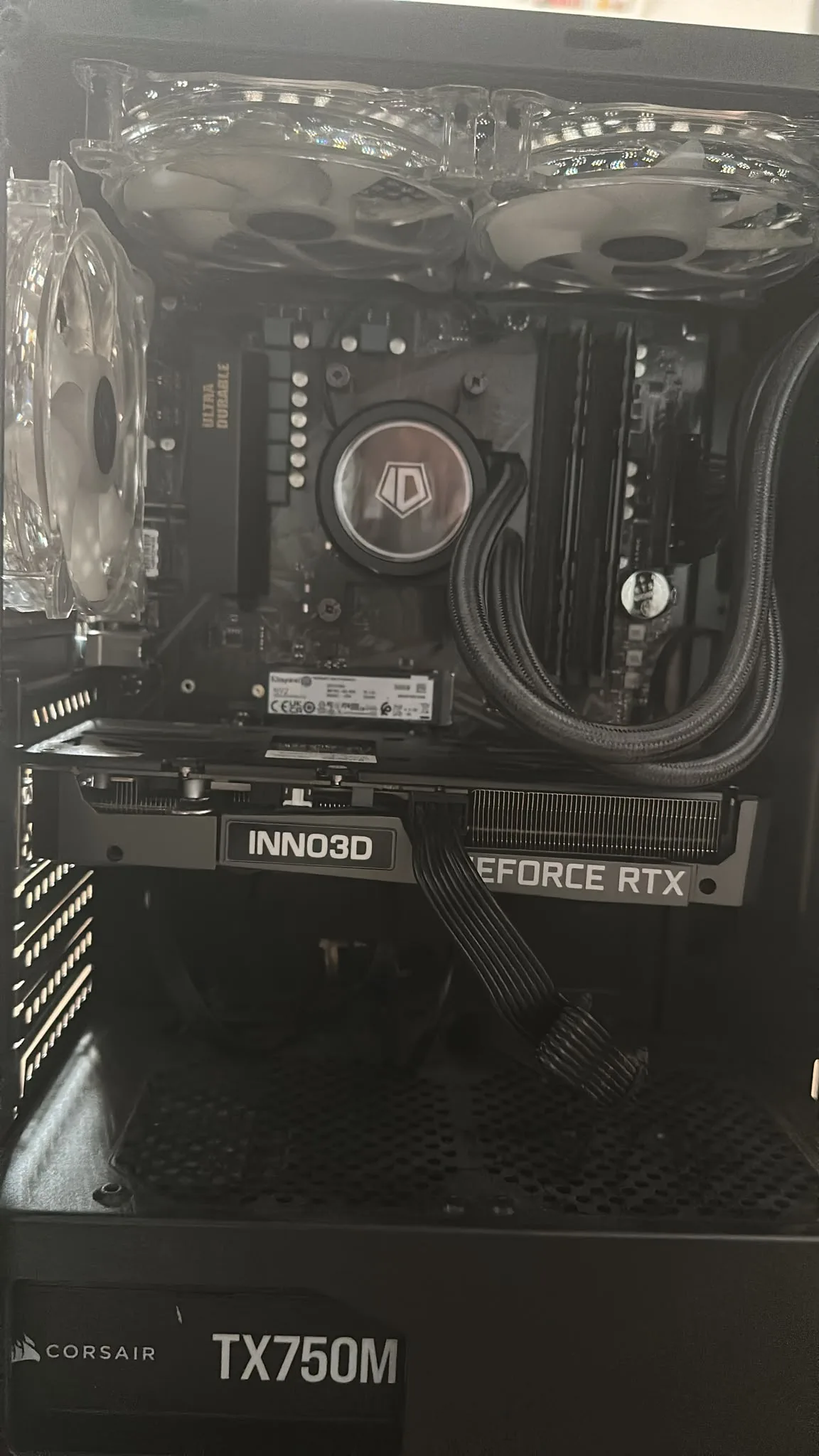
The system was equipped with an AMD Ryzen 7 5800X processor, a Gigabyte B550M DS3H motherboard, 32 GB RAM DDR4, and a 240 mm radiator AIO (All-in-One) liquid cooling system.
The intervention took place in two stages, on November 15 and 16, 2026: fault identification, followed by the purchase and installation of a new cooling system.
First intervention – Overheating diagnosis
On the evening of November 15, we traveled to the client to identify the cause of the overheating and unexpected shutdowns.
Upon checking the computer, the following issues were found:
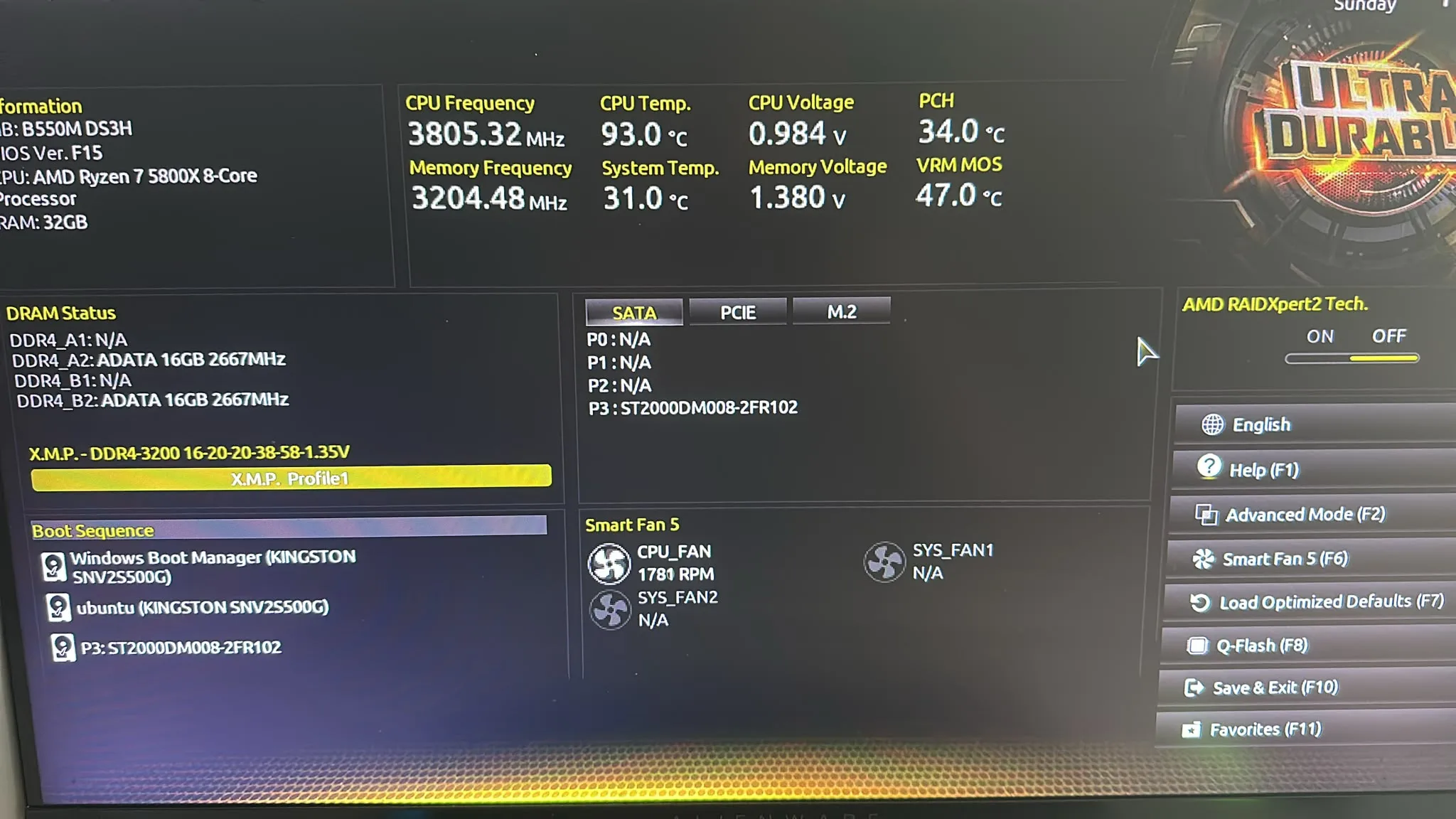
- The AMD Ryzen 7 5800X processor temperature reached 93°C even in the BIOS interface.
- The inside of the case showed significant dust buildup.
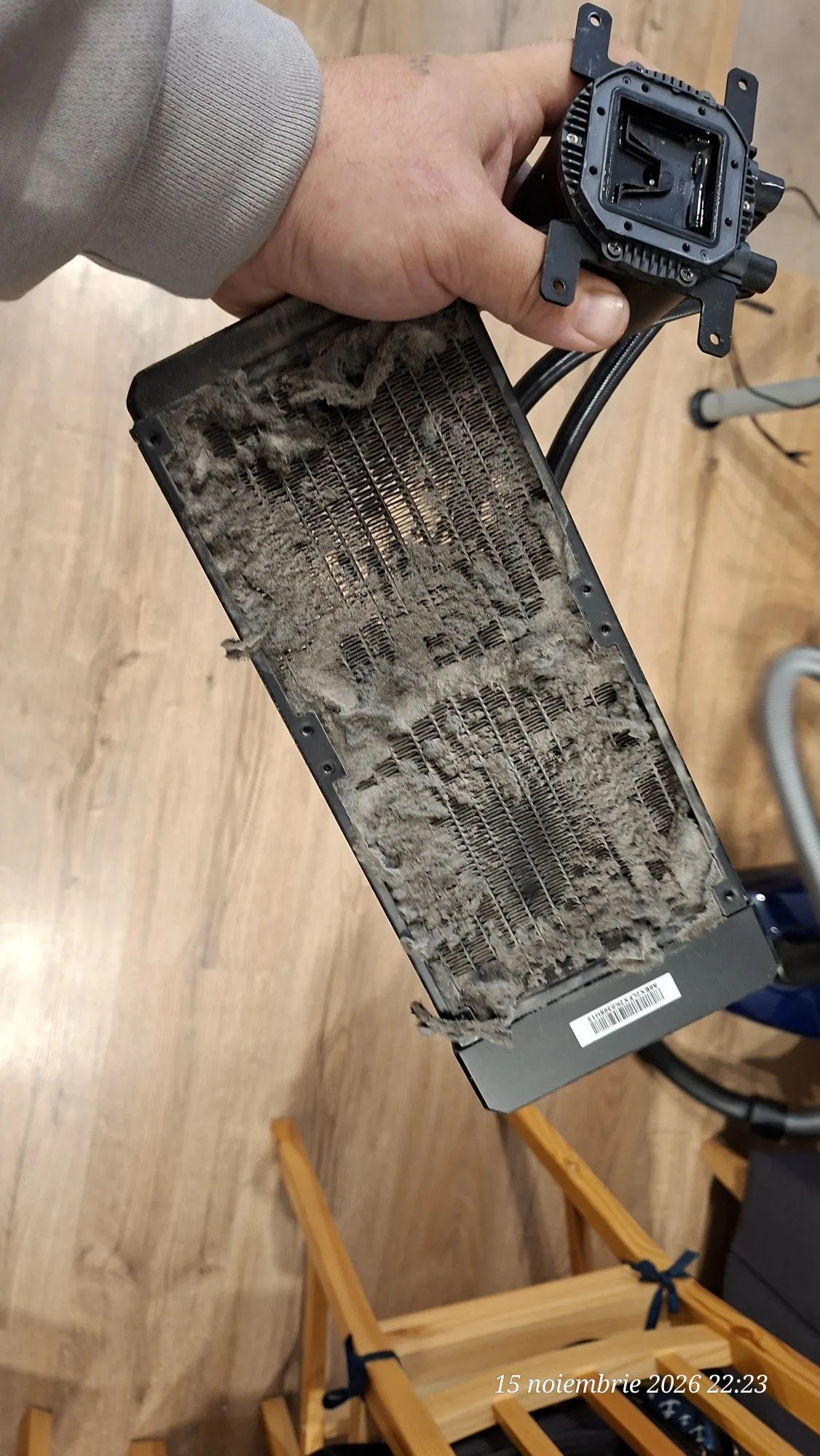
- The radiator of the liquid cooling system was heavily loaded with dust, having numerous obstructed areas.
- One of the cooler's hoses was heating up significantly, while the other remained much cooler, indicating a possible liquid circulation problem.
To verify the cause, we dismantled the existing cooling system and opened the old assembly. Inspection confirmed the obstruction.
The fault affected the processor cooling efficiency and explained the abnormally high temperatures observed.
Photographs taken during the intervention also document the condition of the old radiator, covered by consistent dust deposits.
Second intervention – Purchasing and mounting a new cooler
On November 16, 2026, after identifying the issue, we proceeded to replace the faulty cooling system.
Since the case allowed for the installation of a larger radiator, we chose an upgrade from 240 mm to 360 mm.
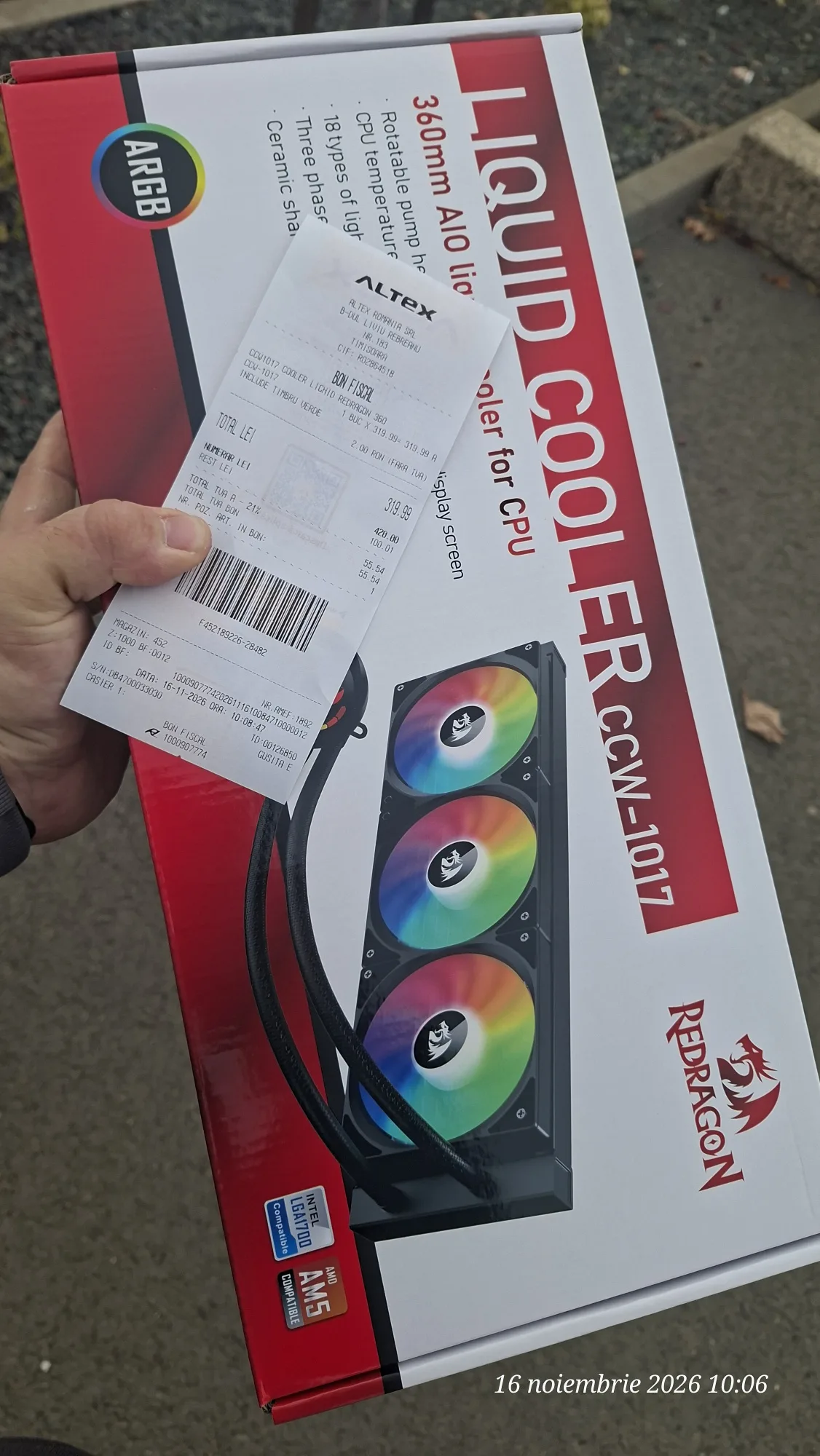
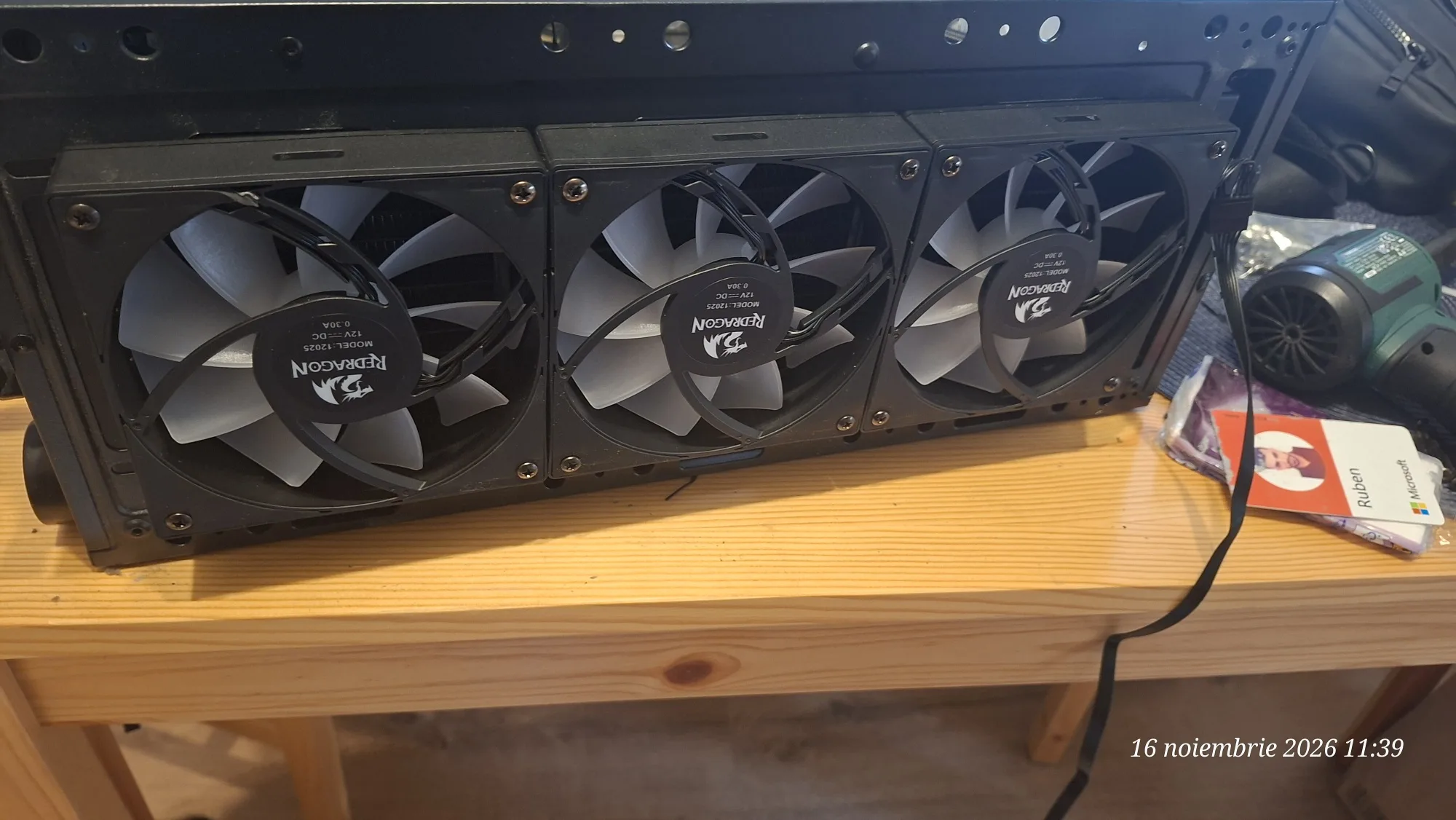
The new cooling system: Redragon CCW-1017 ARGB – 360 mm AIO, with three 120 mm fans.
Operations performed:
- Purchase of the Redragon CCW-1017 cooler.
- Dismantling and removal of the faulty cooling system.
- Cleaning the dust accumulated inside the computer.
- Installation of the new 360 mm radiator in the available case space.
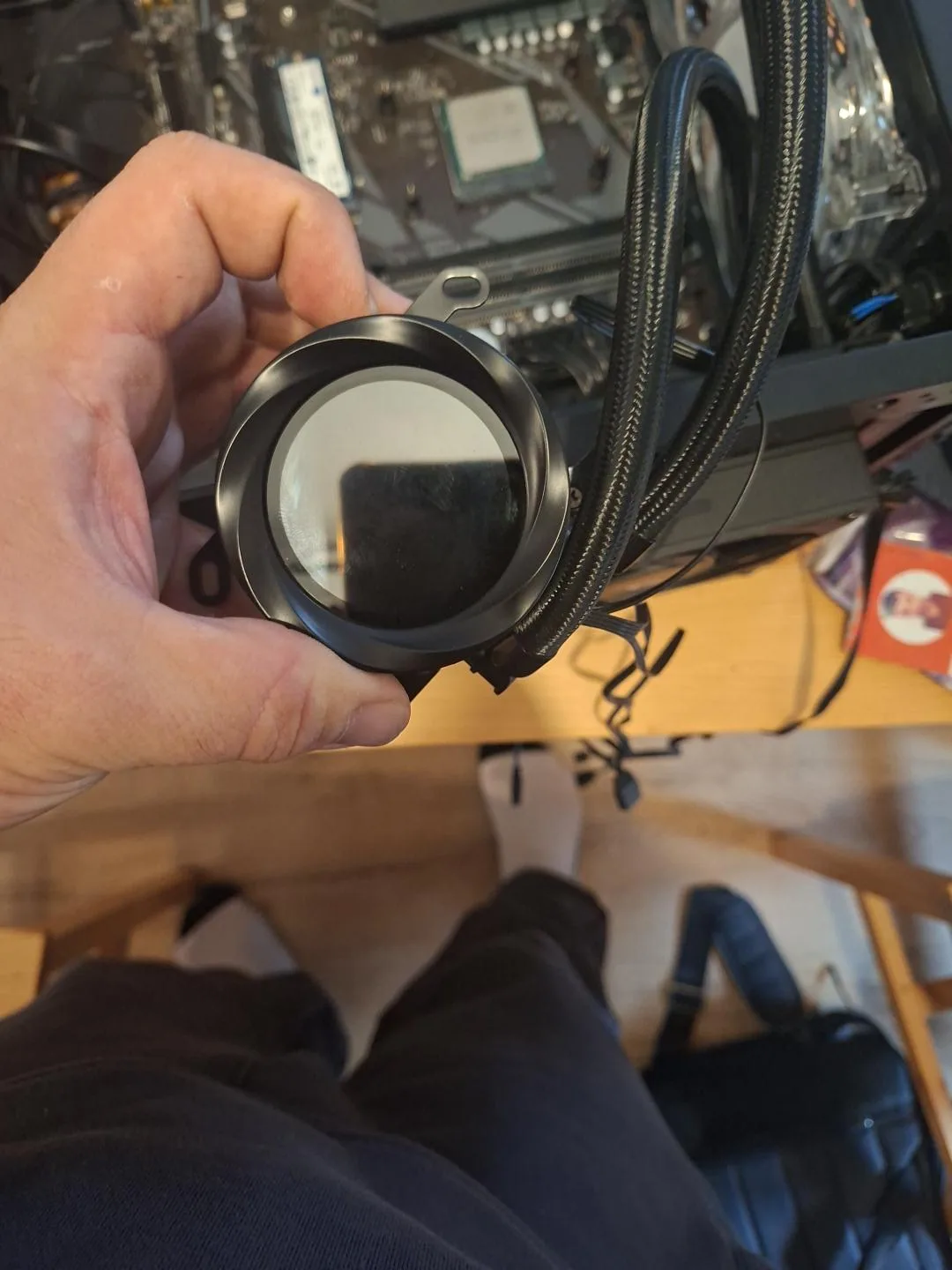
- Mounting the cooling block on the AMD Ryzen 7 5800X processor.
- Connecting the fans, pump, and ARGB lighting system.
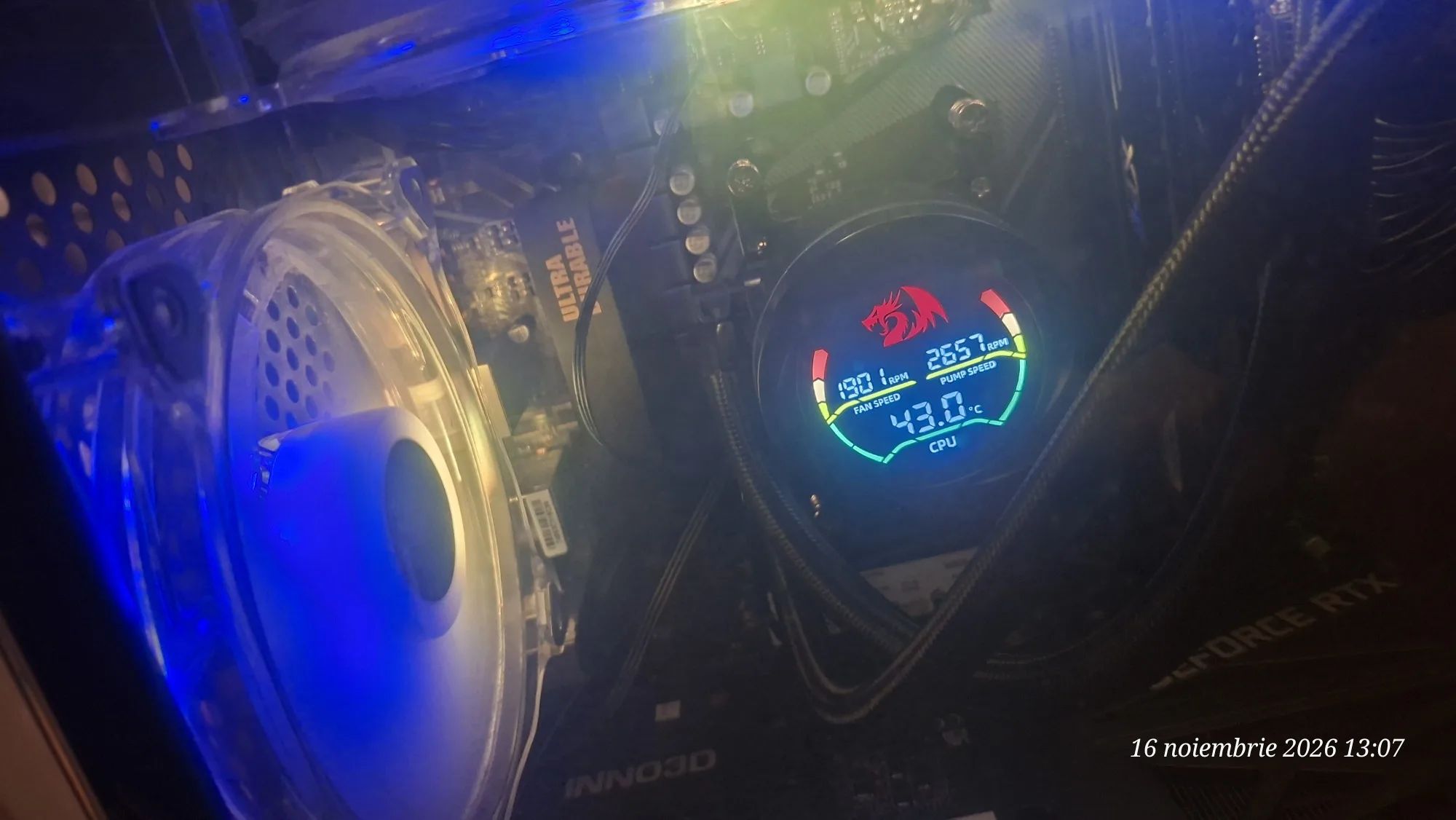
- Checking the operation of the cooling system and monitoring temperatures via BIOS and the cooler display.
The replacement allowed for a transition to a larger radiator, featuring three fans dedicated to liquid cooling.
Results – Temperatures before and after intervention
The difference between the values recorded before and after replacing the cooler was considerable.
Before intervention:
- CPU temperature in BIOS: 93°C.
- The old radiator showed massive dust accumulation and obstructions.
- The cooling system was no longer functioning properly.
- The computer was shutting down during use, according to symptoms reported by the client.
After installing the 360 mm Redragon cooler:
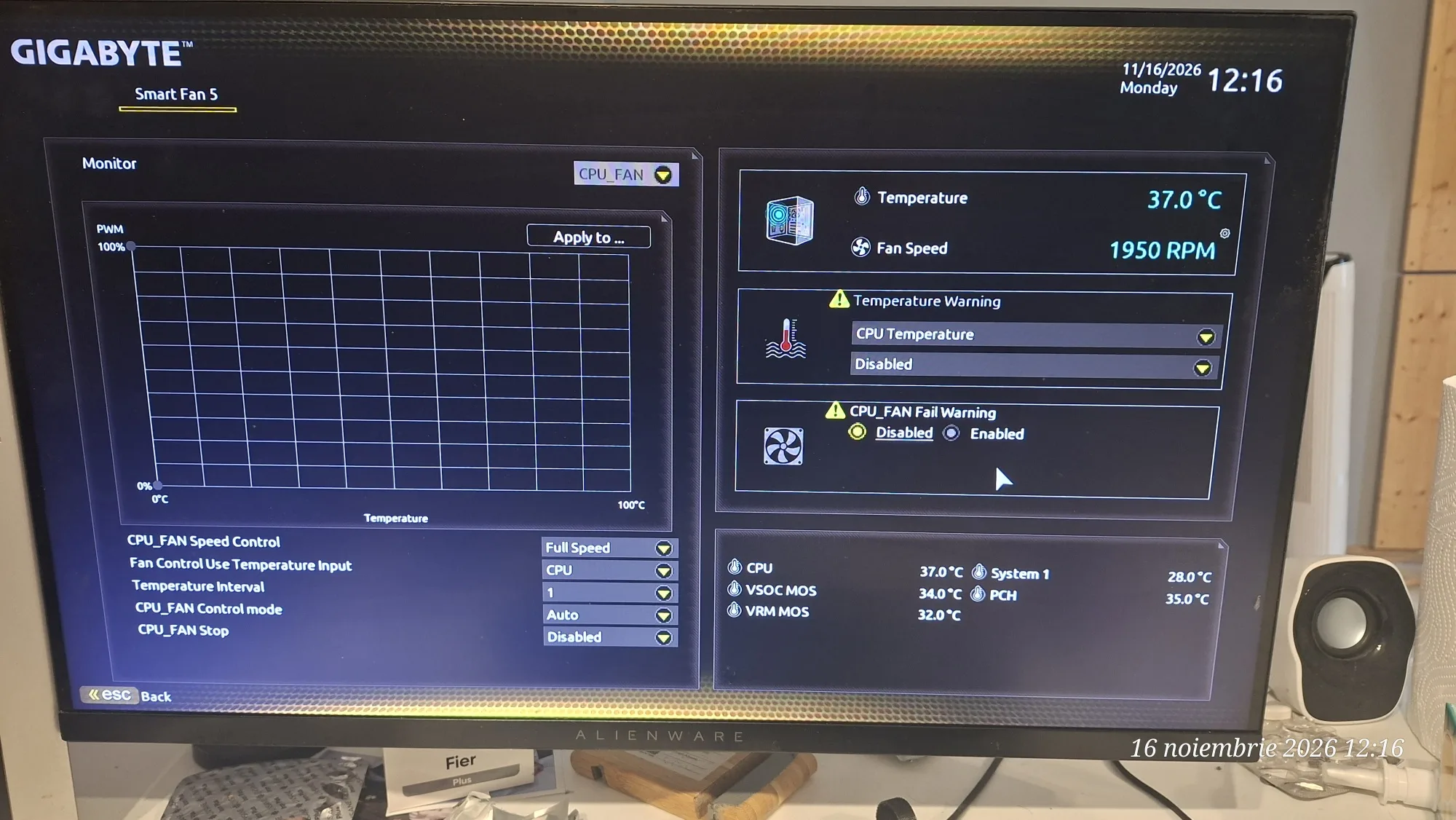
- CPU temperature in BIOS Smart Fan 5: 37°C.
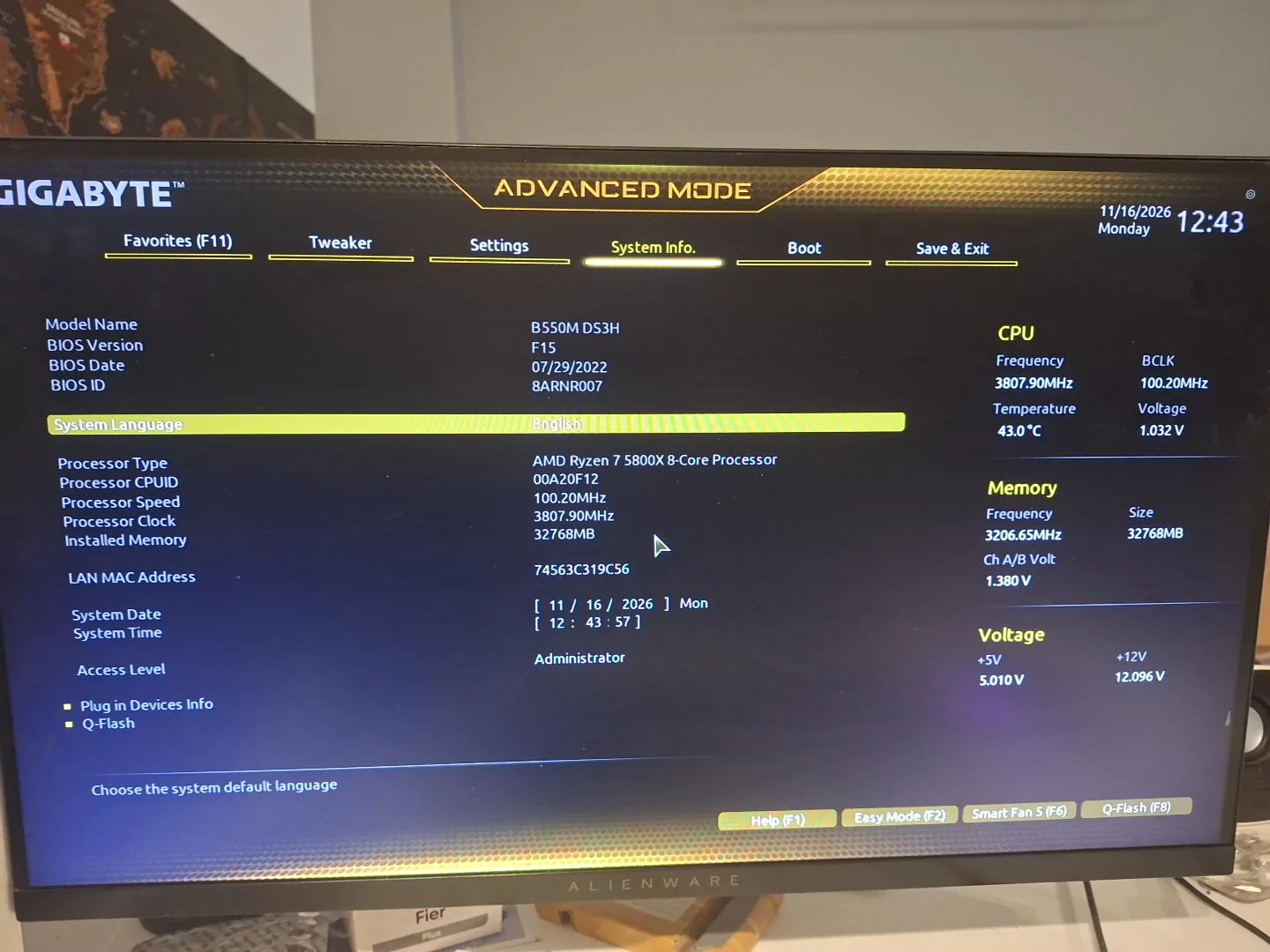
- CPU temperature in BIOS System Information: 43°C.
- Temperature displayed by the Redragon cooler: 43°C.
- CPU fan monitored in BIOS: approximately 1,950 RPM.
- Pump of the new cooler: approximately 2,651 RPM, according to the display.
- The computer started and operated normally in the final checks.
BIOS screenshots document a difference of up to 56°C between the values observed before and after the intervention. However, the measurements do not represent a standardized benchmark, as the exact operating conditions were not identical.
Final Result
The intervention was successfully completed by identifying the cause of the overheating and replacing the faulty cooling system.
The AMD Ryzen 7 5800X processor returned to normal temperatures during the checks performed, and the computer functioned properly after installing the new cooler.
The upgrade from a 240 mm AIO radiator to a 360 mm one allowed the use of the available space in the case for a three-fan cooling system.
The project demonstrates the importance of correctly diagnosing hardware faults: high temperatures are not always caused by thermal paste or processor settings, but can stem from mechanical issues, dust accumulation, or poor coolant circulation.
Intervention performed by iTechServiceTM – IT & WEB Services, November 15–16, 2026.
Photo gallery
Google Reviews
Experiences shared by our clients
5,0 / 5 from 31 Google reviews.